MixCheck
Hear the mix while it's being mixed.
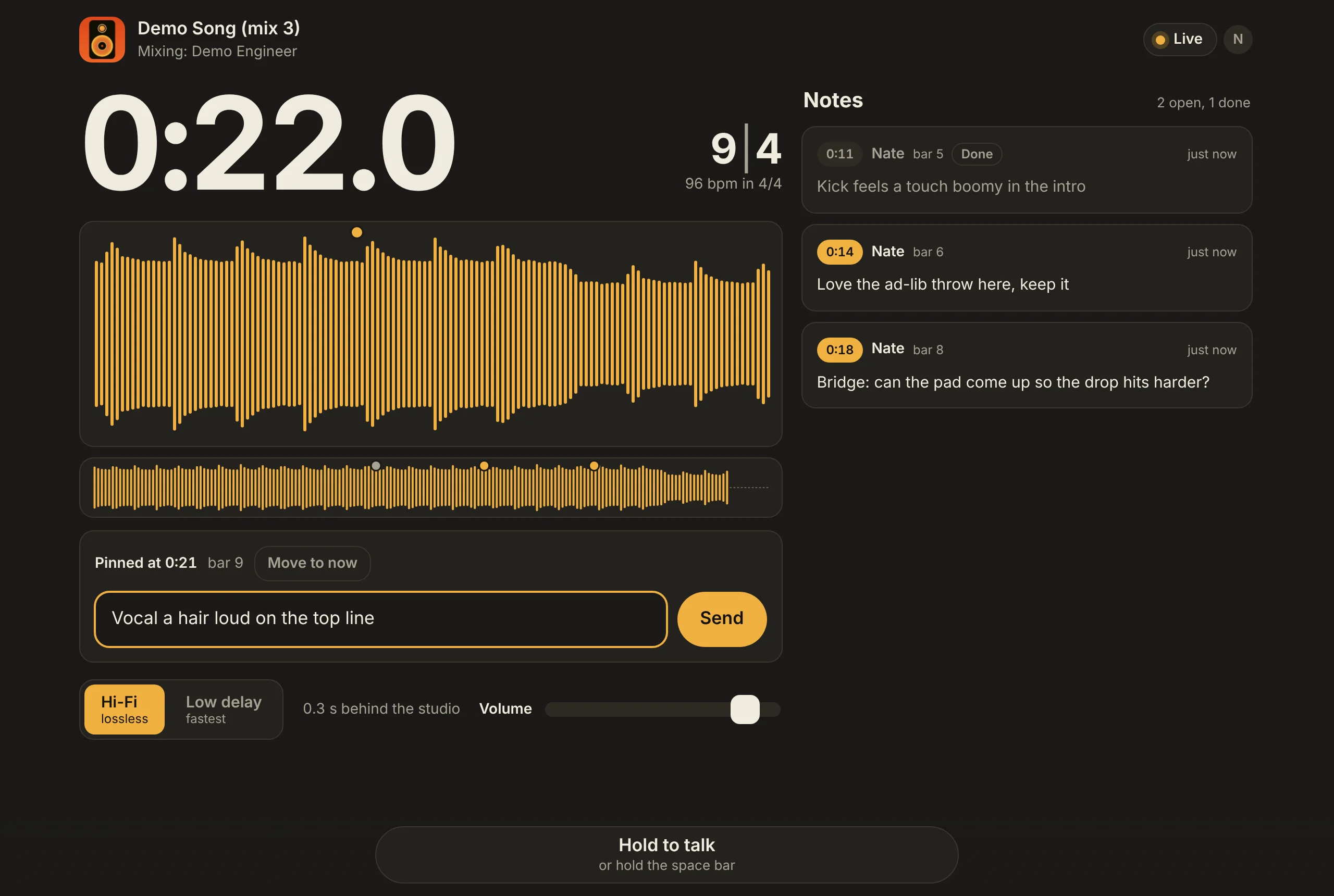
Your engineer puts MixCheck on the master fader. You open a link on any phone or computer and hear exactly what they hear, as they hear it. Type a note and it lands in their session at the moment in the song you heard it.
In development For Pro Tools (AAX), Logic (AU) and other VST3 hosts on the Mac. Listening works in any modern browser.
MixCheck for Mac
The plug-in, for the engineer: AAX for Pro Tools, AU for Logic, and VST3 for other hosts.
Coming soonIt isn't ready to download yet. The download will be here when it is.
Listening
Nothing to install. Open the link the engineer sends you in Safari, Chrome or Firefox, on a phone or a computer.
How it works
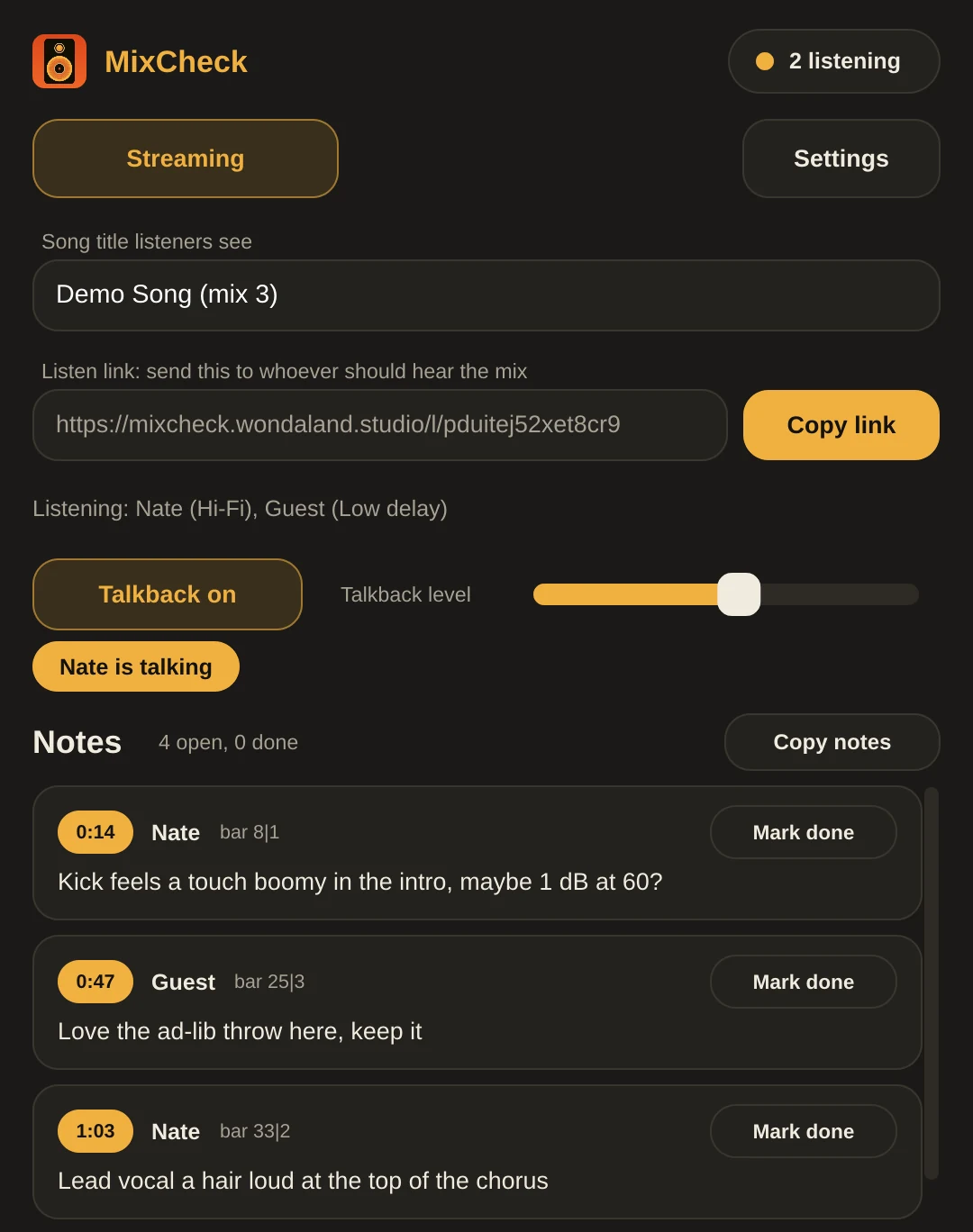
- The engineer adds MixCheckLast on the master fader, so listeners hear exactly what comes out of the monitors. They copy the song's link and send it.
- You open the linkIn a browser on your phone or computer, wherever you are. No app to install.
- You leave notes as you listenStart typing and the note is pinned to that moment. It shows up in the plug-in with its time and bar, and the engineer ticks it off when it's done.
What's in it
- Hi-Fi or low delay
- Lossless 24-bit at the session's own rate, about half a second behind, or a fast stream about a tenth of a second behind for talking it through.
- Where they are
- The time, bar and beat, tempo and meter, kept in step with what you're actually hearing.
- A live waveform
- Drawn like Sequence's: the song fills in as you hear it, with every note marked on it.
- Timestamped notes
- Pinned to the moment, sent to the engineer's session, and marked done for everyone when they're handled.
- Talkback
- Hold the button and the engineer hears you through their monitors. It never goes into the mix.
- One link per song
- The link is saved with the session, so it stays the same every time the song is opened, notes and all.